
القائمة
-
Monopoly Go
-
FC 27
-
Diablo 4
-
Grow A Garden 2
-
MLB The Show 26
-
Call of Duty: MW4
-
College Football 27
-
Call of Duty: Black Ops 7
-
ARC Raiders
-
WoW Forever
-
GTA5
-
Path of Exile 2
-
MapleStory Classic World
-
Aion 2
-
Madden NFL 27
-
Helldivers 2
-
Wardogs
-
Path of Exile 1
-
NBA 2K27
-
RuneScape: Dragonwilds
-
Legend of YMIR
-
Marathon
-
Raven 2
-
Travel Town
-
WoW Midnight
-
Fish it
-
Plants vs Brainrots
-
Vampir
-
Growtopia
-
Garden Tower Defense
-
Type://Soul
-
Escape Tsunami For Brainrots
-
Bigo Live
-
Seven Knights Re:birth
-
Survive LAVA for Brainrots
-
Hytale
-
Arknights: Endfield
-
Anime Fighters Simulator: Endless
-
The Seven Deadly Sins: Origin
-
Bee Swarm Simulator
-
DonutSMP
-
The Forge
-
Ashes of Creation
-
Where Winds Meet
-
Anime Vanguards
-
No Rest for the Wicked
-
Lineage Classic
-
The Midnight Walkers
-
Forza Horizon 6
-
Anime Eternal

Monster Hunter Wilds Health Bar Mods
Monster Hunter Wilds, a popular action role-playing game, has sparked debate among players regarding its design choice to omit visible health bars for boss monsters. While some players appreciate the challenge of gauging a monster's health through observation and combat experience, others find this aspect frustrating and seek a more traditional approach to combat strategy. For those who prefer a visible health bar, third-party mods offer a solution.

The Game's Design Philosophy
Monster Hunter Wilds' developers intentionally hid the boss health bar to encourage players to focus on the monster's behavior and combat dynamics rather than relying solely on numerical indicators. This design aims to enhance immersion and challenge, creating a more realistic combat atmosphere. However, not all players find this approach appealing, as it can increase uncertainty and make high-difficulty missions more challenging.
The Need for a Health Bar Mods
For players who prefer a more strategic approach, having a visible health bar can significantly improve their combat experience. It allows them to better plan their attacks and manage their resources more effectively, especially during intense battles. The absence of a health bar can lead to a trial-and-error approach, which some players find less engaging.
Available Health Bar Mods
Several mods are available to address this issue:
Nexus Mods Overlay: This mod provides an overlay with monster health bars for Monster Hunter Wilds. It requires specific software to function. While it lacks customization options and optimizations, it serves as a basic solution for players seeking a health bar display.
To complement the immersive combat of Monster Hunter Wilds, players might also consider strategies beyond mods, such as acquiring essential items to enhance their gameplay experience. This can involve buying monster hunter wilds items that provide additional health, better weapons, or utility tools. By combining these strategic purchases with mods for a traditional combat setup, players can enjoy a more customized and effective hunting experience. This blend of in-game preparation and modded features allows players to fully immerse themselves in the game while maintaining a competitive edge, especially during challenging quests.
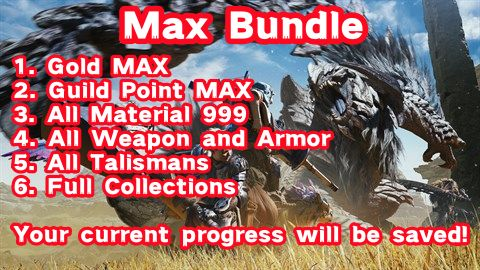
Buy Monster Hunter Wilds Max Bundle Service with cheap prices: Gold MAX, Guild Point MAX, All Material 999, All Weapon and Armor, All Talismans, and Full Collections.
How to Install the Nexus Mods Overlay
To install the health bar mod from Nexus Mods, follow these steps:
- Install Required Software: This is a prerequisite for the mod to work.
- Download the Mod: Access the Nexus Mods website and download the health bar overlay mod.
- Extract and Place the Mod: Extract the downloaded mod and place it in the appropriate game directory.
- Customize (Optional): You can customize the mod by editing relevant files to adjust settings like the UI scale for different screen resolutions.
While Monster Hunter Wilds' design encourages players to engage with the game's immersive combat dynamics, the absence of a visible health bar can be a barrier for some. Third-party mods offer a practical solution for those who prefer a more strategic approach to hunting. By installing these mods, players can enhance their gaming experience and enjoy a more traditional combat strategy.
Whether you choose to embrace the game's intended design or opt for a modded experience, Monster Hunter Wilds remains a thrilling adventure that challenges and rewards players in unique ways. As the modding community continues to grow, we can expect more innovative solutions to emerge, further enriching the gameplay experience for all players.
