
menú
-
Monopoly Go
-
FC 27
-
Diablo 4
-
Grow A Garden 2
-
MLB The Show 26
-
Call of Duty: MW4
-
College Football 27
-
Call of Duty: Black Ops 7
-
ARC Raiders
-
WoW Forever
-
GTA5
-
Path of Exile 2
-
MapleStory Classic World
-
Aion 2
-
Madden NFL 27
-
Helldivers 2
-
Wardogs
-
Path of Exile 1
-
NBA 2K27
-
RuneScape: Dragonwilds
-
The Forge
-
Borderlands 4
-
Growtopia
-
Garden Tower Defense
-
Fish it
-
Type://Soul
-
Marathon
-
Creatures of Sonaria
-
Bigo Live
-
Seven Knights Re:birth
-
Plants vs Brainrots
-
Raven 2
-
The Seven Deadly Sins: Origin
-
DonutSMP
-
No Rest for the Wicked
-
Lineage Classic
-
The Midnight Walkers
-
Forza Horizon 6
-
Highguard
-
Escape Tsunami For Brainrots
-
Arknights: Endfield
-
Hytale
-
Anime Fighters Simulator: Endless
-
Legend of YMIR
-
Anime Eternal
-
Anime Vanguards
-
Where Winds Meet
-
Ashes of Creation
-
Bee Swarm Simulator
-
Survive LAVA for Brainrots

MHWilds Overlay: Must-Have Mods for Monster Hunter Wilds
The MHWilds Overlay mod has quickly become one of the most popular and essential modifications for Monster Hunter Wilds. It addresses a common request among players: access to detailed combat information. Here's everything you need to know about this game-enhancing tool.

To make the most of the MHWilds Overlay and push your builds even further, consider picking up some cheap Monster Hunter Wilds Items. They can save you hours of grinding and let you focus on mastering your hunts with the added insight the overlay provides.
What Does MHWilds Overlay Do?
The MHWilds Overlay mod enhances the gameplay experience by providing real-time data that is otherwise hidden in the base game. Key features include:
- Monster Health Bars: Displays the remaining HP of monsters during battles, helping you track your progress.
- Damage Statistics: Shows total damage dealt by you and your party members, as well as damage-per-second (DPS) metrics.
- Buff Timers: Tracks the duration of item buffs like food or consumables, ensuring precise management during hunts.
- Customizable UI: Allows players to adjust the size, position, and visibility of overlays through the REFramework menu.
This wealth of information transforms the gameplay into a more data-driven experience, appealing to players who prefer transparency and detailed tracking.
Why Use MHWilds Overlay?
While Monster Hunter Wilds offers subtle visual cues—like limping monsters or skull icons on the minimap—to indicate a monster's weakness, some players find these insufficient for gauging progress. The MHWilds Overlay eliminates guesswork by providing exact numbers, making it particularly useful for:
- New Players: Helps beginners understand their effectiveness in combat.
- Min-Maxers: Enables optimization of weapon builds and team strategies.
- Multiplayer Dynamics: Encourages friendly competition by showing which party member contributes the most damage.
However, some veteran Monster Hunter fans argue that these features detract from the series' traditional reliance on observation and intuition.
Installation Guide
Installing MHWilds Overlay requires setup with REFramework and Fluffy Mod Manager. Follow these steps:
1. Download Requirements:
- REFramework
- REFramework D2D plugin
- Fluffy Mod Manager
- MHWilds Overlay files from Nexus Mods
2. File Placement:
- Place all downloaded files in your Monster Hunter Wilds installation directory. The structure should look like this:
MonsterHunterWilds
├── dinput8.dll
├── MonsterHunterWilds.exe
├── reframework
├── autorun
├── mhwilds_overlay.lua
3. Activate Mods:
- Launch Fluffy Mod Manager, select Monster Hunter Wilds, and enable the overlay mod.
- Open the game and press the "Insert" key to access the REFramework menu.
- Navigate to "Script Generated UI > MHWilds Overlay" to customize settings.
4. Troubleshooting:
- If the overlay doesn’t display correctly, ensure all files are in their proper locations. For D2D issues, manually place its .dll file in the plugins folder within REFramework.
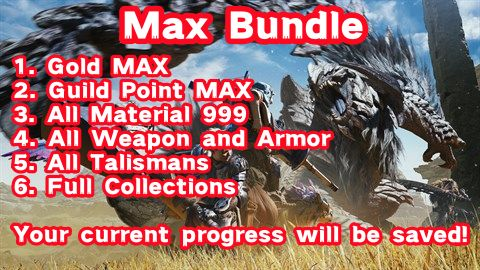
Buy Monster Hunter Wilds Max Bundle Service with cheap prices: Gold MAX, Guild Point MAX, All Material 999, All Weapon and Armor, All Talismans, and Full Collections.
Key Features
1. Real-Time Monster Tracking
- Displays real-time monster positions on the map
- Highlights weak points and elemental weaknesses
- Predicts movement patterns based on AI behavior
2. Damage and DPS Tracking
- Monitors your damage output and that of your teammates
- Breaks down damage by weapon type and attack moves
- Provides insights to optimize combos and attack strategies
3. Item & Buff Timers
- Tracks potion and buff cooldowns
- Alerts you when important buffs are about to expire
- Ensures optimal use of consumables during extended hunts
4. Quest and Objective Assistance
- Highlights key objectives and quest markers
- Offers reminders for sub-objectives and hidden rewards
- Suggests efficient routes to complete missions faster
5. Customizable HUD and UI
- Adjustable overlays to fit different screen sizes and resolutions
- Custom themes and transparency options
- Toggle individual elements on or off based on personal preference
Why Use MHWilds Overlay?
- Enhances Gameplay: Focus more on action and less on tracking stats manually.
- Optimizes Strategy: Make informed decisions in real-time.
- Saves Time: Reduces the need to check menus frequently.
- Improves Team Coordination: Share damage statistics and monster locations efficiently with your group.
Considerations
While this mod is highly beneficial, there are a few caveats:
- Multiplayer Limitations: Some features, like part break status or status buildup details, are only visible to quest hosts.
- Potential Bugs: The mod has been primarily tested in single-player mode; multiplayer functionality may have inconsistencies.
- Game Integrity: Although Monster Hunter Wilds mods like this don't alter core game files, always use them responsibly to avoid conflicts with anti-cheat measures.
The MHWilds Overlay is a game-changer for Monster Hunter Wilds, offering unparalleled insight into combat mechanics. Whether you're a newcomer seeking guidance or an experienced hunter aiming for perfection, this mod enhances your hunting experience without overwhelming the screen. Its flexibility and customization options make it a must-have for PC players looking to take their hunts to the next level.
