
menú
-
Monopoly Go
-
FC 27
-
Diablo 4
-
Grow A Garden 2
-
MLB The Show 26
-
Call of Duty: MW4
-
College Football 27
-
Call of Duty: Black Ops 7
-
ARC Raiders
-
WoW Forever
-
GTA5
-
Path of Exile 2
-
MapleStory Classic World
-
Aion 2
-
Madden NFL 27
-
Helldivers 2
-
Wardogs
-
Path of Exile 1
-
NBA 2K27
-
RuneScape: Dragonwilds
-
The Forge
-
Borderlands 4
-
Growtopia
-
Garden Tower Defense
-
Fish it
-
Type://Soul
-
Marathon
-
Creatures of Sonaria
-
Bigo Live
-
Seven Knights Re:birth
-
Plants vs Brainrots
-
Raven 2
-
The Seven Deadly Sins: Origin
-
DonutSMP
-
No Rest for the Wicked
-
Lineage Classic
-
The Midnight Walkers
-
Forza Horizon 6
-
Highguard
-
Escape Tsunami For Brainrots
-
Arknights: Endfield
-
Hytale
-
Anime Fighters Simulator: Endless
-
Legend of YMIR
-
Anime Eternal
-
Anime Vanguards
-
Where Winds Meet
-
Ashes of Creation
-
Bee Swarm Simulator
-
Survive LAVA for Brainrots

13 Best Mods for Monster Hunter Wilds
Monster Hunter Wilds has quickly become a favorite among action RPG fans, offering thrilling hunts and immersive gameplay. However, for players seeking to tailor their experience or bypass some of the game's grind, mods provide a fantastic solution. Below, we explore some of the best mods available for Monster Hunter Wilds, how to install them, and the tools you'll need.

If you're looking to speed up your progress or enhance your build alongside these mods, don't miss out on the wide selection of Monster Hunter Wilds Items For Sale. From rare materials to powerful gear, they can give you a strong edge in your hunting adventures.
Top Mods for Monster Hunter Wilds
1. REFramework
This indispensable tool acts as the backbone for many mods, enabling script-based modifications and enhancing the game's flexibility. Installing REFramework is straightforward: download the .dll file and place it into your Monster Hunter Wilds directory. Upon launching the game, a menu will appear in the top-left corner, confirming successful installation.
- Purpose: A foundational tool required for most mods.
- Features: Unlocks advanced customization options, fixes performance issues (e.g., ultrawide support, crash fixes), and enables free camera mode for exploration or photography.
- Installation: Download the .dll file and place it in the game directory. A menu will appear in-game if installed correctly.
2. MHWilds Overlay
For hunters seeking more transparency during battles, this mod displays monsters' health bars and detailed damage statistics. While the base game provides subtle cues about a monster's weakening state, such as limping or specific icons, MHWilds Overlay offers explicit numerical data, catering to players who prefer precise information.
- Purpose: Enhances battle information.
- Features: Displays monster health bars, damage stats, and other useful data hidden in the base game. Ideal for strategizing during hunts.
- Multiplayer Compatibility: Works in multiplayer but may have occasional inconsistencies.
3. No Crafting Requirements
This mod is ideal for those who wish to focus solely on hunting without the grind of gathering materials. It allows players to craft any equipment without the usual material prerequisites, streamlining the progression to desired gear.
- Purpose: Eliminates the need to gather crafting materials.
- Features: Allows players to craft weapons and armor without resource requirements, saving time on grinding.
- Installation: Integrate with Fluffy Mod Manager and enable it before launching the game.
4. 3X Monster Drops
To expedite gear upgrades and reduce farming time, this mod increases the quantity of materials dropped by monsters, making the crafting process more efficient.
- Purpose: Speeds up resource collection.
- Features: Triples all monster drops and quest rewards, making gear upgrades significantly faster.
5. Buy Max Bundle Service from us
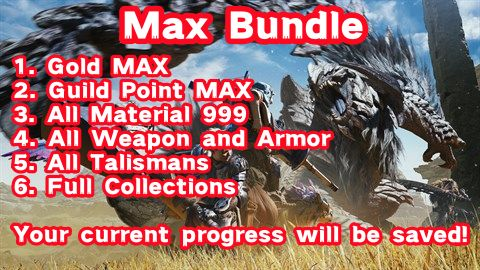
Buy Monster Hunter Wilds Max Bundle Service with cheap prices: Gold MAX, Guild Point MAX, All Material 999, All Weapon and Armor, All Talismans, and Full Collections.
6. Unlimited Character and Palico Edits
- Purpose: Enables unlimited appearance changes.
- Features: Removes the need for edit vouchers, allowing free customization of your character and Palico anytime.
7. Infinite Consumables
Maintaining a steady supply of consumables can be challenging. This mod ensures that items like potions and ammunition are unlimited, allowing hunters to focus more on strategy and combat.
- Purpose: Provides unlimited use of consumable items.
- Features: Applies to potions, ammo, and other limited-use items, ensuring you never run out during hunts.
8. Performance Optimizer
- Purpose: Improves game performance on lower-end PCs.
- Features: Adjusts configurations to boost frame rates by up to 10 FPS and reduce CPU usage by 10–15%.
9. Damage Adjuster
- Purpose: Customizes combat difficulty.
- Features: Lets players increase or decrease damage dealt to monsters, catering to both casual and hardcore hunters.
10. Visual Overhauls
- Includes ReShade presets for enhanced graphics and aesthetic mods like "Kitty Big," which makes your Palico human-sized.
- Temnophobia Mode: Addressing the concerns of players with arachnophobia, this mod replaces spider-like creatures with less intimidating models, ensuring a more comfortable gaming experience.
- Kitty Big: For a touch of whimsy, this mod enlarges the player's Palico companion to human size, offering a unique and amusing visual twist to your adventures.
11. Fluffy Mod Manager
To efficiently manage and install mods, the Fluffy Mod Manager is highly recommended. It simplifies the process, allowing players to enable or disable mods with ease. After downloading and extracting the mod manager, select Monster Hunter Wilds as the game of choice. Mods can then be added by dragging their files into the manager and activating them as needed.
12. Auto Item Pouch Restock
To eliminate the repetitive task of manually restocking items between hunts, this mod automates the process, ensuring you're always prepared for the next expedition.
13. Harder Difficulty Presets
For veterans seeking a more formidable challenge, this mod offers various difficulty presets that increase monster health and damage. It also adjusts reward scaling, providing a more rewarding experience for those craving tougher hunts.
How to Install Mods
Installing mods for Monster Hunter Wilds is straightforward:
- Download REFramework: Essential for running most mods. Place the .dll file in your game directory.
- Install Fluffy Mod Manager: Simplifies mod management. Drag mod files into the manager's window and enable them before launching the game.
- Follow Specific Mod Instructions: Some mods may require additional steps like extracting files into specific folders (e.g., natives folder).
- Backup Your Files: Always back up your game files before installing mods to avoid potential issues.
Why Use Mods?
The introduction of mods has sparked diverse opinions within the Monster Hunter community. Some purists argue that certain mods, especially those that simplify gameplay or provide advantages, undermine the game's inherent challenges and the satisfaction derived from overcoming them. Discussions on platforms like Reddit and Steam reflect these sentiments, with debates about the impact of mods on the game's integrity and player experience.
Mods can dramatically improve quality of life in Monster Hunter Wilds by:
- Reducing grind time with features like unlimited resources or crafting shortcuts.
- Enhancing gameplay with detailed HUD overlays or performance optimizations.
- Adding fun customizations such as visual changes or unique challenges.
Whether you're a seasoned hunter or a newcomer, these mods can make your journey through Monster Hunter Wilds more enjoyable and personalized.
With an ever-growing modding community, Monster Hunter Wilds continues to evolve beyond its base experience. Dive into modding platforms or community forums to find even more ways to customize your adventure!
The modding community for Monster Hunter Wilds continues to flourish, offering a wide array of modifications that cater to both gameplay enhancement and visual customization. Whether you're a newcomer seeking quality-of-life improvements or a seasoned hunter looking for fresh challenges, there's likely a mod to enrich your journey in the wilds. As always, when installing mods, ensure they are sourced from reputable platforms and are compatible with your game version to maintain a seamless hunting experience.
